

Blogs
Samsung Odyssey Gaming Monitors: Features, Specs & Comparison (2026)

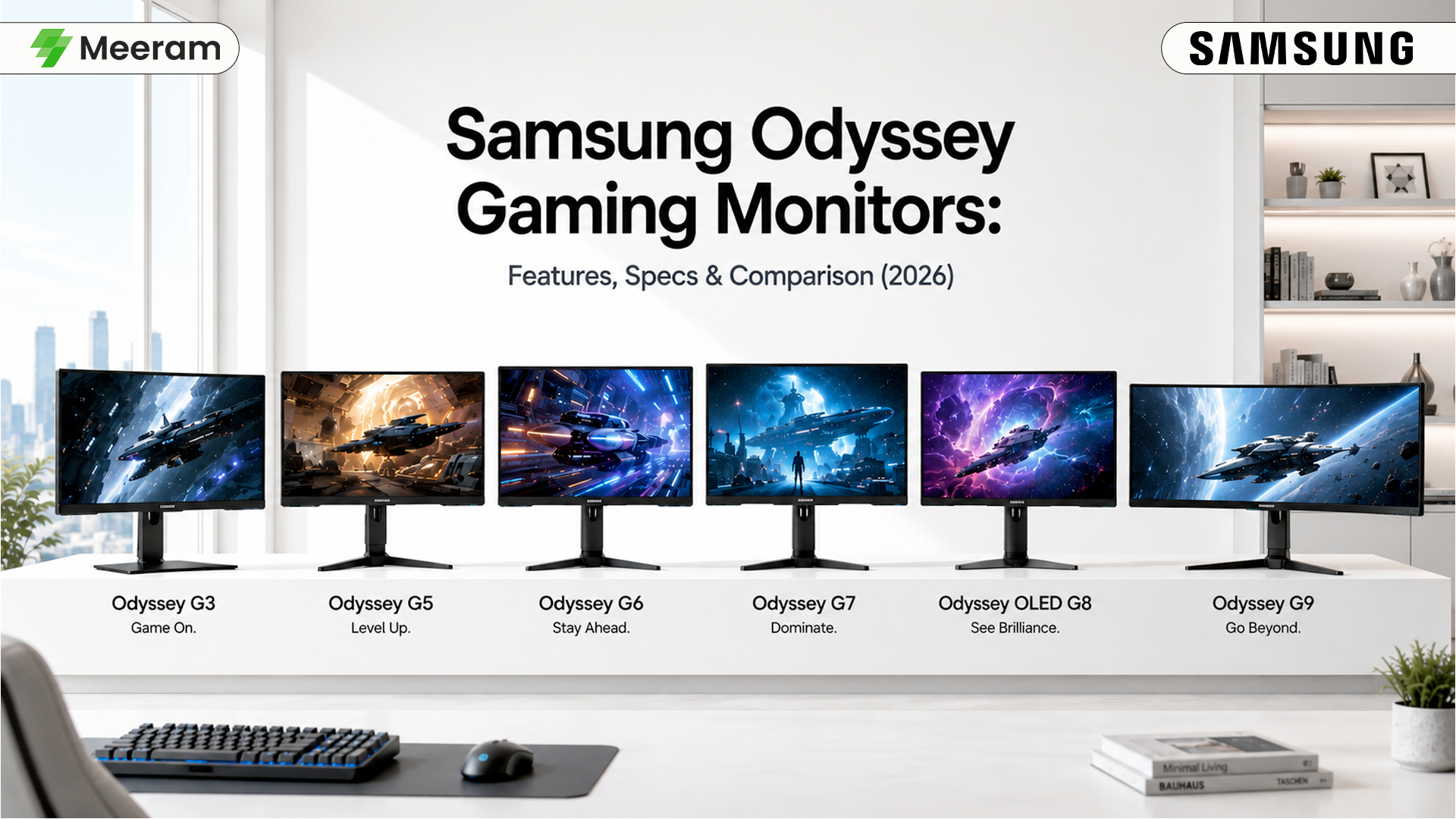
Gaming monitors have evolved far beyond simply offering a larger screen. Today’s gamers expect smooth gameplay, clear visuals, fast response times, and an immersive experience that helps them enjoy every moment. Samsung’s Odyssey lineup has become one of the most recognized gaming monitor series because it combines modern display technology with features designed for PC and console gaming. Whether you are a casual gamer, a competitive player, or someone who enjoys story-driven AAA games, choosing the right monitor can significantly improve your gaming experience. The Samsung Odyssey family includes models for different budgets and performance needs, making it easier to find a monitor that matches your setup.
In this guide, we will explore the main features of Samsung Odyssey Gaming Monitors, compare popular models, and help you decide which option is best for your gaming style.
What Makes Samsung Odyssey Gaming Monitors Special?
Samsung designed the Odyssey series to provide an immersive and responsive gaming experience. Instead of focusing on only one specification, Odyssey monitors combine several features that work together to improve gameplay. Common features available across the Samsung Odyssey range include:
- High refresh rates for smoother movement
- Fast response times to reduce motion blur and ghosting
- Curved and flat display options
- High-resolution panels for sharper images
- Adaptive Sync technology to reduce screen tearing
- HDR support for improved contrast and color
- Gaming-focused designs with adjustable stands
These features make Odyssey monitors suitable for fast-paced competitive games as well as visually demanding single-player titles.
Samsung Odyssey Gaming Monitor Lineup
Samsung offers several Odyssey models, with each series designed for a different type of gamer, budget, and level of performance.
Samsung Odyssey G3
The Samsung Odyssey G3 is an entry-level gaming monitor designed for beginners and budget-conscious gamers. It is a practical upgrade for users moving from a standard 60Hz office monitor to a faster gaming display. Depending on the specific model, the Odyssey G3 may offer Full HD resolution, a high refresh rate, fast response time, Adaptive Sync support, and an ergonomic stand.
Best suited for:
- Casual gaming
- Competitive games at Full HD resolution
- Students and first-time gaming monitor buyers
- Entry-level and mid-range gaming PCs
Samsung Odyssey G5
The Samsung Odyssey G5 is positioned above the G3 and is a popular choice for gamers who want sharper visuals without moving into the premium price range. Many Odyssey G5 models offer QHD resolution, high refresh rates, fast response times, and curved display options. QHD provides more detail than Full HD while remaining easier to run than 4K resolution on a mid-range gaming PC.
Best suited for:
- Mid-range gaming PCs
- Open-world and role-playing games
- Racing and simulation games
- Gamers looking for a balance of price and performance
Samsung Odyssey G6
The Samsung Odyssey G6 is built for gamers who need faster performance and smoother motion. Selected G6 models combine QHD resolution with refresh rates of up to 240Hz, making them suitable for competitive multiplayer games. A high refresh rate can provide clearer movement and a more responsive experience, especially when paired with a graphics card capable of producing high frame rates.
Best suited for:
- Competitive FPS gaming
- Esports enthusiasts
- High-performance gaming PCs
- Players who prioritize speed and responsiveness
Samsung Odyssey G7
The Samsung Odyssey G7 series is aimed at gamers who want premium performance, strong image quality, and advanced gaming features. Specifications vary between individual G7 models. Depending on the version, buyers may find QHD or 4K resolution, high refresh rates, HDR support, curved or flat panels, and Adaptive Sync technology.
Best suited for:
- Enthusiast gamers
- High-end PC builds
- Competitive and AAA gaming
- Users who need one monitor for gaming and productivity
Samsung Odyssey OLED G8
The Samsung Odyssey OLED G8 belongs to the premium side of the Odyssey lineup. Its OLED display technology delivers deep blacks, excellent contrast, vibrant colors, and extremely fast pixel response. OLED displays can make cinematic games, dark environments, and HDR content look more realistic. They are also well suited to gamers who place image quality at the top of their priority list.
Best suited for:
- Premium gaming setups
- Story-driven and cinematic games
- Users who prioritize contrast and color quality
- Enthusiast PC and console gamers
One of the biggest strengths of the Odyssey lineup is that there is no single model that is best for every buyer. Each series targets a different combination of budget, resolution, refresh rate, panel technology, and gaming style. Understanding these differences is the first step toward choosing the right Samsung Odyssey gaming monitor for your setup.
Samsung Odyssey G9
The Samsung Odyssey G9 is the flagship ultrawide gaming monitor in the Odyssey lineup. Featuring a massive 49-inch display with a 32:9 aspect ratio, it delivers an incredibly immersive gaming experience by replacing a traditional dual-monitor setup with one seamless screen. Depending on the model, the Odyssey G9 offers Dual QHD resolution, high refresh rates of up to 240Hz, fast response times, HDR support, and advanced gaming technologies such as AMD FreeSync Premium Pro and NVIDIA G-SYNC compatibility.
Its expansive display makes it ideal not only for gaming but also for multitasking, content creation, video editing, and professional workflows.
Best suited for:
- Sim racing and flight simulators
- Immersive AAA gaming
- Professional streamers
- Content creators
- Users replacing a dual-monitor setup
Features & Technical Specifications
Samsung has designed the Odyssey series with gamers in mind. Instead of focusing on a single specification, these monitors combine several technologies that work together to deliver smoother gameplay, better image quality, and improved responsiveness. Understanding these features will help you choose the right gaming monitor for your budget and gaming style.
High Refresh Rates for Smoother Gameplay
One of the standout features of Samsung Odyssey gaming monitors is their high refresh rate. A standard monitor refreshes the screen 60 times per second (60Hz), while many Samsung Odyssey models offer refresh rates of 144Hz, 165Hz, 240Hz, or even higher on selected models. A higher refresh rate provides several advantages:
- Smoother motion during gameplay
- Reduced motion blur
- Better tracking of fast-moving targets
- More responsive controls
- An overall smoother gaming experience
Fast-paced games such as first-person shooters, racing games, and battle royale titles benefit the most from higher refresh rates.
Fast Response Time
Response time refers to how quickly a pixel changes from one color to another. Many Samsung Odyssey gaming monitors offer response times as low as 1ms, helping reduce visual artifacts that can appear during fast movement.
A lower response time helps minimize:
- Ghosting
- Motion blur
- Trailing effects behind moving objects
When combined with a high refresh rate, a fast response time creates a smoother and more responsive gaming experience.
Display Panel Technology
Samsung uses different display technologies across the Odyssey lineup. Each panel type offers unique advantages depending on how you use your monitor.
VA Panels
Many Samsung Odyssey monitors feature high-quality VA (Vertical Alignment) panels.
These panels are known for:
- Excellent contrast ratios
- Deep black levels
- Rich colors
- Strong performance in dark scenes
VA panels are particularly well suited for immersive gaming and watching movies.
IPS Panels
Some Odyssey models use IPS (In-Plane Switching) panels.
IPS technology offers:
- Wide viewing angles
- Accurate color reproduction
- Consistent image quality from different viewing positions
These displays are ideal for gamers who also edit photos, create videos, or stream content.
OLED Panels
The premium Samsung Odyssey OLED models use OLED display technology, offering exceptional picture quality.
OLED displays provide:
- True black colors
- Outstanding contrast
- Vibrant colors
- Near-instant pixel response
- Excellent HDR performance
These characteristics make OLED monitors particularly impressive for AAA games with detailed environments and cinematic visuals.
Resolution Options
Samsung Odyssey gaming monitors are available in multiple resolutions to suit different gaming setups.
Full HD (1920 × 1080)
Full HD remains a popular choice for competitive gaming because it is easier for most graphics cards to drive at high frame rates.
It is ideal for:
- Entry-level gaming PCs
- Esports titles
- Budget-conscious gamers
QHD (2560 × 1440)
QHD, also known as 1440p, offers noticeably sharper images than Full HD while maintaining excellent gaming performance on mid-range and high-end gaming systems. Many gamers consider QHD the ideal balance between visual quality and performance.
4K UHD (3840 × 2160)
Selected premium Odyssey monitors are available with 4K resolution.
Benefits include:
- Sharper details
- More realistic textures
- Greater workspace for productivity
- Excellent visual quality in modern games
To enjoy 4K gaming at high frame rates, a powerful graphics card is recommended.
Adaptive Sync Technology
Screen tearing can occur when the graphics card and monitor refresh at different rates. Many Samsung Odyssey gaming monitors support technologies such as:
- AMD FreeSync Premium
- AMD FreeSync Premium Pro (selected models)
- NVIDIA G-SYNC Compatible certification (selected models)
These technologies help synchronize the monitor with the graphics card to reduce:
- Screen tearing
- Stuttering
- Input lag
The result is smoother and more consistent gameplay.
HDR Support
Many Samsung Odyssey gaming monitors support High Dynamic Range (HDR). HDR enhances image quality by improving:
- Brightness
- Contrast
- Shadow detail
- Color depth
Games that support HDR can appear more realistic with brighter highlights and deeper shadows, creating a more immersive gaming experience.
Curved Display Design
Samsung is widely recognized for its Curved Gaming Monitors. Curved displays are designed to bring more of the screen into your natural field of view, helping create a greater sense of immersion. Many gamers particularly enjoy curved displays when playing:
- Racing simulators
- Flight simulators
- Open-world games
- Adventure titles
For users who prefer a traditional viewing experience, Samsung also offers flat-screen Odyssey models.
Gaming-Focused Ergonomics
Comfort becomes increasingly important during long gaming sessions. Many Samsung Odyssey monitors include ergonomic features such as:
- Height adjustment
- Tilt adjustment
- Swivel functionality
- Pivot support on selected models
- VESA mount compatibility
These adjustments make it easier to position the monitor for both gaming and everyday productivity.
Connectivity Options
Samsung Odyssey gaming monitors provide multiple connectivity options for modern gaming devices. Depending on the model, available ports may include:
- DisplayPort
- HDMI
- USB ports
- Headphone output
This flexibility allows you to connect gaming PCs, PlayStation consoles, Xbox consoles, laptops, and other compatible devices with ease. For PC gamers, using DisplayPort is generally recommended when aiming to achieve the highest supported refresh rate.
Explore More Gaming Monitors at Meeram
If you’re looking to upgrade your gaming setup, browse the latest Gaming Monitors available at Meeram Store. You can also explore our collections of Gaming PCs, Gaming Keyboards, and Gaming Mice to build a complete gaming setup.
Samsung Odyssey Gaming Monitor Comparison
With several models available in the Odyssey lineup, choosing the right gaming monitor can feel overwhelming. Each series is designed for a different type of gamer, offering a unique balance of performance, display quality, and price. The comparison below provides a quick overview of the most popular Samsung Odyssey gaming monitors to help you understand their strengths.
| Feature | Odyssey G3 | Odyssey G5 | Odyssey G6 | Odyssey G7 | Odyssey OLED G8 | Odyssey G9 |
|---|---|---|---|---|---|---|
| Ideal For | Entry-Level Gaming | Everyday & Mid-Range Gaming | Competitive Gaming | High-End Gaming | Premium Gaming Experience | Ultrawide Flagship |
| Resolution | Full HD (1080p) | QHD (1440p) | QHD (1440p) | QHD or 4K (Model Dependent) | QHD (Model Dependent) | Dual QHD (5120×1440) |
| Refresh Rate | Up to 180Hz* | Up to 165Hz | Up to 240Hz | Up to 240Hz | Up to 240Hz | 240Hz |
| Response Time | 1ms | 1ms | 1ms | 1ms | Near-Instant Pixel Response | QLED / OLED (Model Dependent) |
| Panel Technology | VA | VA | Fast VA | Fast VA / IPS (Selected Models) | OLED | HDR1000 / HDR (Model Dependent) |
| HDR Support | Basic HDR | HDR | Enhanced HDR | Advanced HDR | Premium HDR Experience | HDR1000 / HDR (Model Dependent) |
| Adaptive Sync | AMD FreeSync | AMD FreeSync Premium | FreeSync Premium Pro / G-SYNC Compatible | FreeSync Premium Pro / G-SYNC Compatible | FreeSync Premium Pro / G-SYNC Compatible | Ultimate Immersion |
| Curved Display | Selected Models | Yes | Yes | Yes | Selected Models | Yes |
*Specifications may vary depending on the screen size and exact model number. Always check the product page before purchasing.
Which Samsung Odyssey Gaming Monitor Should You Buy?
Every gamer has different priorities. Some focus on competitive performance, while others care more about image quality or overall value. Here’s how each Odyssey model fits different gaming needs.
Samsung Odyssey G3 – Best for Beginners
The Odyssey G3 is a great choice for gamers upgrading from a standard office monitor. It delivers smoother gameplay with its higher refresh rate while remaining affordable.
Recommended for:
- First-time gaming monitor buyers
- Students
- Budget gaming setups
- 1080p gaming
If you mainly play games like Counter-Strike 2, Valorant, League of Legends, Rocket League, or Dota 2, the G3 offers excellent value.
Samsung Odyssey G5 – Best Overall Value
The Odyssey G5 is often considered the sweet spot in Samsung’s gaming monitor lineup. Its QHD resolution delivers noticeably sharper visuals than Full HD while maintaining strong gaming performance.
Recommended for:
- Mid-range gaming PCs
- Story-driven games
- RPGs and open-world adventures
- Gamers who want the best balance between performance and price
For many users, the G5 provides the best overall value within the Odyssey series.
Samsung Odyssey G6 – Built for Competitive Gaming
The Odyssey G6 is designed for gamers who demand speed and responsiveness. With refresh rates of up to 240Hz on selected models and support for Adaptive Sync technologies, it delivers exceptionally smooth gameplay.
Recommended for:
- Competitive FPS players
- Esports enthusiasts
- High-frame-rate gaming
- Fast-paced multiplayer titles
If your gaming PC can consistently produce high frame rates, the G6 allows you to take full advantage of that performance.
Samsung Odyssey G7 – Premium Performance
The Odyssey G7 combines speed, image quality, and premium gaming features into one package. It is an excellent option for gamers who want top-tier performance without moving to OLED technology.
Recommended for:
- Enthusiast gamers
- AAA gaming
- Streaming and content creation
- High-performance gaming PCs
The G7 is well suited for users who split their time between gaming, work, and multimedia entertainment.
Samsung Odyssey OLED G8 – The Flagship Experience
The Odyssey OLED G8 represents Samsung’s premium gaming monitor technology. Its OLED display produces exceptional contrast, vibrant colors, and near-instant pixel response, creating an immersive gaming experience.
Recommended for:
- Premium gaming setups
- AAA titles
- HDR gaming
- Gamers who prioritize image quality above everything else
If your budget allows, the OLED G8 offers one of the most visually impressive gaming experiences in Samsung’s Odyssey lineup.
Buying Tips Before Choosing a Samsung Odyssey Gaming Monitor
Before purchasing a gaming monitor, it is worth taking a few minutes to evaluate your gaming habits, hardware, and available space. Choosing the right model will ensure you get the best performance without paying for features you may never use.
1. Match the Monitor to Your Graphics Card
Your gaming monitor and graphics card should work together. A high-end monitor paired with an entry-level graphics card may not deliver the experience you expect.
As a general guide:
- 1080p monitors are ideal for entry-level and mid-range gaming PCs.
- 1440p monitors offer an excellent balance of image quality and performance for most modern gaming systems.
- 4K monitors are best suited for high-end graphics cards capable of maintaining smooth frame rates.
Choosing the right resolution for your hardware helps you enjoy smoother gameplay and better overall value.
2. Select the Right Refresh Rate
While higher refresh rates are impressive, not every gamer needs the fastest monitor available.
Here’s a simple guideline:
- 120Hz–165Hz: Excellent for most gamers.
- 240Hz: Recommended for competitive esports players.
- Higher refresh rates: Best suited for enthusiasts with powerful gaming PCs.
For many users, a 165Hz QHD monitor provides the ideal balance between smooth performance and affordability.
3. Choose the Right Screen Size
Screen size affects both comfort and immersion.
- 24-inch: Great for competitive gaming and compact desks.
- 27-inch: One of the most popular choices for QHD gaming.
- 32-inch: Excellent for immersive single-player games and multitasking.
- Ultrawide displays: Ideal for racing simulators, flight simulators, and productivity.
Consider your viewing distance and desk space before choosing a larger monitor.
4. Think Beyond Gaming
Many Samsung Odyssey gaming monitors are also well suited for everyday productivity, streaming, content creation, and entertainment.
If you plan to use your monitor for work as well as gaming, look for features such as:
- Accurate color reproduction
- Height-adjustable stands
- Multiple HDMI and DisplayPort inputs
- Comfortable ergonomic adjustments
Frequently Asked Questions
Are Samsung Odyssey gaming monitors good for competitive gaming?
Yes. Many Samsung Odyssey models feature high refresh rates, fast response times, and Adaptive Sync technologies that help deliver a smoother and more responsive gaming experience. Models such as the Odyssey G6 and G7 are particularly well suited for competitive gaming.
Which Samsung Odyssey monitor is best for beginners?
The Samsung Odyssey G3 is an excellent entry-level option. It offers smooth gameplay, a fast refresh rate, and a competitive price, making it ideal for gamers upgrading from a standard monitor.
Is a curved gaming monitor better than a flat monitor?
It depends on your personal preference. Curved monitors can create a more immersive experience, especially on larger displays, while flat monitors are often preferred by users who split their time between gaming, work, and content creation.
Can Samsung Odyssey monitors be used with PlayStation and Xbox consoles?
Yes. Most Samsung Odyssey monitors include HDMI connectivity, allowing them to work with modern PlayStation and Xbox consoles. The available resolution and refresh rate will depend on the monitor model and the console you are using.
Is an OLED gaming monitor worth the investment?
OLED technology delivers outstanding contrast, vibrant colors, deep black levels, and extremely fast pixel response. If image quality is your highest priority and your budget allows, the Odyssey OLED G8 is an excellent choice. However, many gamers will find that the Odyssey G5 or G7 already provides outstanding performance at a more affordable price.
Final Thoughts
Samsung has built the Odyssey series to meet the needs of every type of gamer, from beginners purchasing their first gaming monitor to enthusiasts looking for flagship-level performance. Each model offers a different combination of refresh rate, resolution, panel technology, and gaming features, allowing you to choose a monitor that fits your gaming style and budget. By understanding these differences, you can confidently choose a Samsung Odyssey gaming monitor that delivers the right balance of performance, image quality, and value for your gaming setup.
Why Shop at Meeram?
At Meeram, we believe choosing the right gaming monitor should be simple and stress-free. Whether you are building your first gaming setup or upgrading to a high-performance display, our goal is to help you find products that match your needs and budget. We offer a carefully selected range of Samsung Odyssey Gaming Monitors along with monitors from other leading brands, giving customers access to trusted products and modern display technology. Our product pages are designed to provide clear specifications and useful details so you can make a more informed buying decision.
As an authorized Samsung partner, Meeram Store offers genuine Samsung products backed by a 3-year official warranty. Whether you’re purchasing a Samsung Odyssey Gaming Monitor, Samsung Monitor, Interactive Display, Digital Signage, or Video Wall, you can shop with confidence knowing you are receiving authentic products, competitive pricing, and dedicated customer support.